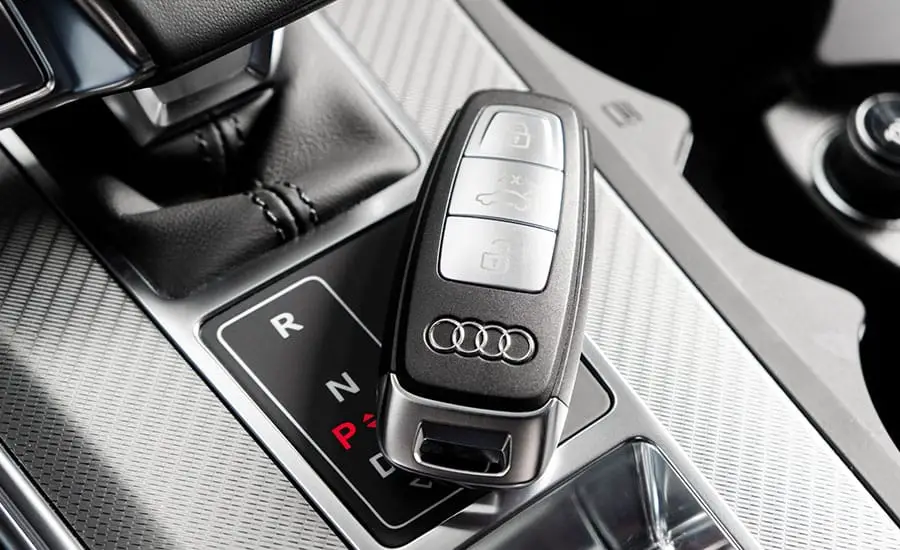
Key fobs are simple devices, but they don’t always behave the way we expect. They work through short-range radio frequencies, which can easily interact with other electronics around your home or car. When that happens, signal strength drops, range shortens, or buttons trigger the wrong result.
Some people never notice a problem, but others find their fobs acting up whenever they’re near wireless speakers, routers, or even a garage door. We’ve handled many calls about strange key fob problems, and each time it comes down to how the fob interacts with its surroundings. Here’s what we’ve learned and what you can do to stop interference.
Understand How Key Fob Signals Work
Key fobs operate using radio waves in the 300 to 433 MHz range. These signals are low power and designed for short distances. Most fobs use a rolling code system that changes with every press to prevent unauthorized copying. That’s helpful for security. However, it also means the fob must send the full signal without any interruption, or your vehicle won’t recognize the command.
When another device nearby uses a similar frequency or causes strong electromagnetic noise, it can block or distort the signal. For example, certain wireless doorbells or baby monitors run on nearby frequencies and may overlap. Therefore, some signal failures happen more often in specific locations, like crowded parking garages or near apartment buildings with many wireless systems running at once.
As a locksmith in Calgary, we’ve seen even small home gadgets disrupt key fobs when they’re close enough. Understanding the basics helps pinpoint the cause faster.
Common Devices That Cause Interference
Most modern homes are filled with electronics. Some of them can interfere with a key fob’s signal even if they seem harmless. Wireless routers are a big one. When a router is too close to where you store your keys, its signal can block or confuse the key fob’s output. Cordless phones and microwave ovens also produce interference, especially if the fob is stored nearby.
Another culprit is remote-controlled garage door systems. These often run on a frequency close to your fob’s, so when you press your key, the door system may capture part of the signal. As a result, the car doesn’t respond. Electric car chargers, dash cams, and backup cameras can also generate enough background signal to throw off a fob’s communication.
To avoid overlap, we recommend storing fobs away from power strips and tech clusters. It may also help to move your wireless equipment slightly, reducing how much it floods the nearby area.
Prevent Interference in Your Vehicle
Problems don’t just happen at home. Sometimes, your vehicle itself is the source. Some aftermarket electronics can mess with the fob’s signal reception. For instance, if a dash cam is wired into the same power line as the keyless entry system, both can compete for signal attention. That causes spotty response or delays in unlocking.
Additionally, metal parts in the car interior, such as window tint films with metallic coatings, can reflect signals and cause them to bounce or weaken. This happens more when the fob is inside your pocket while sitting in the car.
We suggest checking whether any new electronics were added recently. If so, disconnect them one at a time and test the fob. If you keep experiencing signal delays in your car, consider booking a vehicle key fob inspection to pinpoint the source and rewire devices if needed. We’ve helped many drivers remove silent interference sources that went unnoticed for months.
Create a Fob-Friendly Storage Area at Home
Keeping your key fob in the wrong spot at home can lead to random problems. Some people leave them on top of microwave ovens or near a Wi-Fi router on a hallway table. That may sound fine, but those locations often pump out signal interference or reflective energy. Over time, it drains battery life and weakens signal reliability.
Instead, we recommend choosing a storage spot with no electronic clutter around. A wooden tray or fabric bowl near your main entryway works well. Just make sure there’s no speaker, camera, or charger station nearby. If you have a metal key cabinet, check whether it blocks signals when the door is closed. In some cases, a solid metal container may reflect the signal back into the fob, wearing down the battery.
Creating a consistent, interference-free storage spot makes your fob last longer and respond more reliably when you grab it.
Keep Fob Batteries Fresh to Reduce Weak Signals
Low batteries don’t cause interference, but they make your fob more vulnerable to it. When battery levels drop, the fob signal becomes weaker and slower. That makes it more likely to get blocked by any nearby interference. In cold climates like Calgary, this becomes worse during winter, especially if you leave the fob in your car overnight.
We suggest replacing the battery every year, even if the fob still works. It’s a low-cost way to avoid future problems. Always use the correct battery type—usually a CR2032 button cell—and check that it sits properly in the holder. Some fobs require you to press down firmly to complete the circuit. A loose battery will cause the fob to behave unpredictably.
If your fob works fine one day and poorly the next, a weak battery is often the first thing to check. You can always reach out to a locksmith in Calgary for safe battery replacement if the casing seems delicate.
Avoid Key Fob Cloning from Signal Boosters
Some interference comes from signal relay tools used by thieves. These devices are designed to boost your fob’s signal and trick your car into thinking the key is nearby. When stored too close to your front door, a fob’s signal may leak far enough for someone outside to capture it. This doesn’t block the signal—it hijacks it.
To prevent this, keep your keys at least three meters away from your doors and windows. Better yet, store them inside a pouch lined with signal-blocking material. Some people also turn their fob off overnight if it has a sleep mode or physical button that disables signals.
Although signal cloning is rare, it’s a real risk in high-theft areas. Protecting your key from digital sniffers also helps avoid false triggers caused by signal confusion. If you notice your lights flash without touching the fob, or your car unlocks unexpectedly, it may be time to contact a car lock security expert to test the fob’s integrity.
Reset or Reprogram After Interference Events
When your key fob starts misfiring due to interference, a simple battery swap or moving electronics may not fully fix it. If the fob misses several signals in a row, the rolling code system may become desynchronized. This is a built-in feature to prevent code replay attacks, but it can also prevent the car from accepting valid inputs until the fob resets.
In some cases, you can re-sync the fob by pressing the lock and unlock buttons simultaneously near your car. Other models require a manual reprogramming step using the ignition system. We recommend looking at the manual or asking a professional if the signal continues to fail after moving your devices and replacing the battery.
Resetting removes old code mismatches and ensures the car reads your fob again. It’s a useful trick when nothing else seems to fix random issues. Many people forget this step after trying everything else.
Use Minimal Key Chains to Avoid Physical Interference
Heavy keychains don’t just add weight, they can cause signal problems too. When your fob is pressed against several other metal objects, such as house keys or bottle openers, those metals can reflect or absorb part of the signal. Over time, this may lead to delayed responses or signal failure when you’re in a hurry.
We recommend carrying only the essentials on your fob keyring. Try to avoid thick covers or decorative holders that fully enclose the fob. If you want to protect it from drops, use a soft silicone cover instead. Keep it separate from your metal keys if you’ve noticed poor range or inconsistent button feedback.
Fewer attachments mean less risk of mechanical wear on the fob buttons too. If your signal starts working better after removing extra items, it likely wasn’t an electrical issue at all. Physical barriers matter more than most people realize.
FAQs
What electronics most commonly interfere with key fobs?
Wireless routers, dash cams, cordless phones, and microwave ovens are common sources. These devices operate on similar frequencies or produce background signal noise.
Why does my key fob work better in some places than others?
Certain environments have more radio signal traffic. Large buildings or tech-heavy areas can flood the space with interference, making your fob less reliable.
Can window tint really block a fob signal?
Yes, metallic window tint can reflect or absorb the radio waves your fob sends out. This reduces the effective range, especially inside parked vehicles.
How often should I replace my key fob battery?
Every 12 months is a good rule. Cold weather and frequent use can drain the battery faster, so replace it yearly to avoid issues.
Is it safe to store my key fob near my front door?
It’s safer to store it farther away. Keeping it near doors or windows increases the risk of signal relay attacks that mimic your fob’s signal.